
Your website has about as long as it takes someone to glance at their phone while waiting for a light to change. If it hasn't shown them anything useful by then, they're gone. They don't file a complaint. They don't leave feedback. They just tap back and call the next business on the list.
That's the part that trips up a lot of Triangle business owners. A slow site doesn't feel broken. It loads eventually, the pages look fine, nothing throws an error. But "eventually" is the problem. Speed isn't a technical nicety you get to if there's budget left over. It's the first impression, and mobile visitors are the least patient audience you have.
Here's the good news. Fixing this is mostly mechanical. You don't need a redesign. You need an audit and a punch list.
Why page speed is a conversion issue, not just a technical one
Think about your own habits. You don't wait around for a slow page. You bounce, and you don't think twice about it. Your visitors do the same thing to you, and most of them are doing it on a phone, on a spotty connection, standing in a parking lot or waiting in line.
A slow load doesn't just cost you a visit. It costs you the visit at the exact moment someone had intent to act, whether that was booking an appointment, calling your shop, or checking your menu before deciding where to eat. That's the most expensive kind of traffic to lose, because you already earned the click. Search ranked you, an ad reached them, a friend sent the link. The hard part was done. Then the page made them wait, and they left before you got the chance to say anything.
Speed also compounds. Search engines factor load time into ranking, so a slow site tends to show up less often, which means fewer people ever get far enough to bounce in the first place. Fixing speed pays twice: more people find you, and more of the people who find you actually stick around.
Auditing what's actually slowing your site down
Don't guess. Measure first, because the fix for "too many images" and the fix for "bad hosting" look nothing alike, and you don't want to spend a weekend compressing photos when the real problem is your server.
Run your site through our speed test and look for a few specific things:
- Total page weight. If a single page is pulling several megabytes to load, images are almost always the culprit.
- Number of requests. Every script, font, tracking pixel, and stylesheet is a separate trip to a server. Dozens of small requests add up faster than one big one.
- Time to first content. This is the number that matches what your visitor actually experiences: how long until something useful appears on screen.
- What's blocking the render. Some scripts have to finish loading before the page can show anything at all. Those are the worst offenders and the first ones worth fixing.
Write down what you find. You're about to work through it in order, biggest offender first.
Compressing and serving images correctly
For most small business sites, images are the single biggest lever. A product photo straight off a modern phone camera can be several times larger than it needs to be for the space it's displayed in on your site. Multiply that by a homepage with a dozen images and you've built a page that has to move a lot of data before a visitor sees anything.
The fix has three parts, and they all matter:
- Compress before you upload. Modern image formats and compression tools can shrink a file dramatically with no visible loss in quality. Don't upload camera-original files to your website. Ever.
- Size images for where they'll actually appear. A thumbnail doesn't need a full-resolution file behind it. Serve an image sized for its container, not for the largest screen it might theoretically be viewed on.
- Load images as they're needed, not all at once. Images below the fold shouldn't compete with the ones a visitor sees first. Deferring offscreen images lets the top of the page appear quickly while the rest loads in behind it.
This is exactly the tension a portfolio site lives inside, since the entire product is the images. Cut corners there and you've undermined the thing you're trying to sell. We'll walk through how that gets solved further down.
Cutting unnecessary scripts and plugins
Images get the blame, but scripts are the quieter problem. Every chat widget, analytics tool, font service, and marketing plugin you've added over the years is still running on every page load, whether or not anyone uses it.
Go through your site and ask, honestly, what's still earning its keep:
- Old plugins from a redesign you never finished. If you switched booking tools, email providers, or chat widgets, the old script sometimes stays installed even after you stop using it.
- Multiple tools doing the same job. It's common to find two analytics platforms or two font libraries loaded side by side because nobody removed the first one when the second was added.
- Third-party embeds you can live without. Social media feeds, review widgets, and video embeds are often the heaviest, slowest-loading elements on a page, and they're usually the easiest to cut or load only on demand.
- Fonts you're not actually using. Loading five font weights when your site uses two is a common, invisible drag.
None of this requires custom development to check. It requires going line by line through what's installed and asking whether a visitor would notice if it disappeared.
How Fresh Snow Studio kept a large-asset portfolio site fast
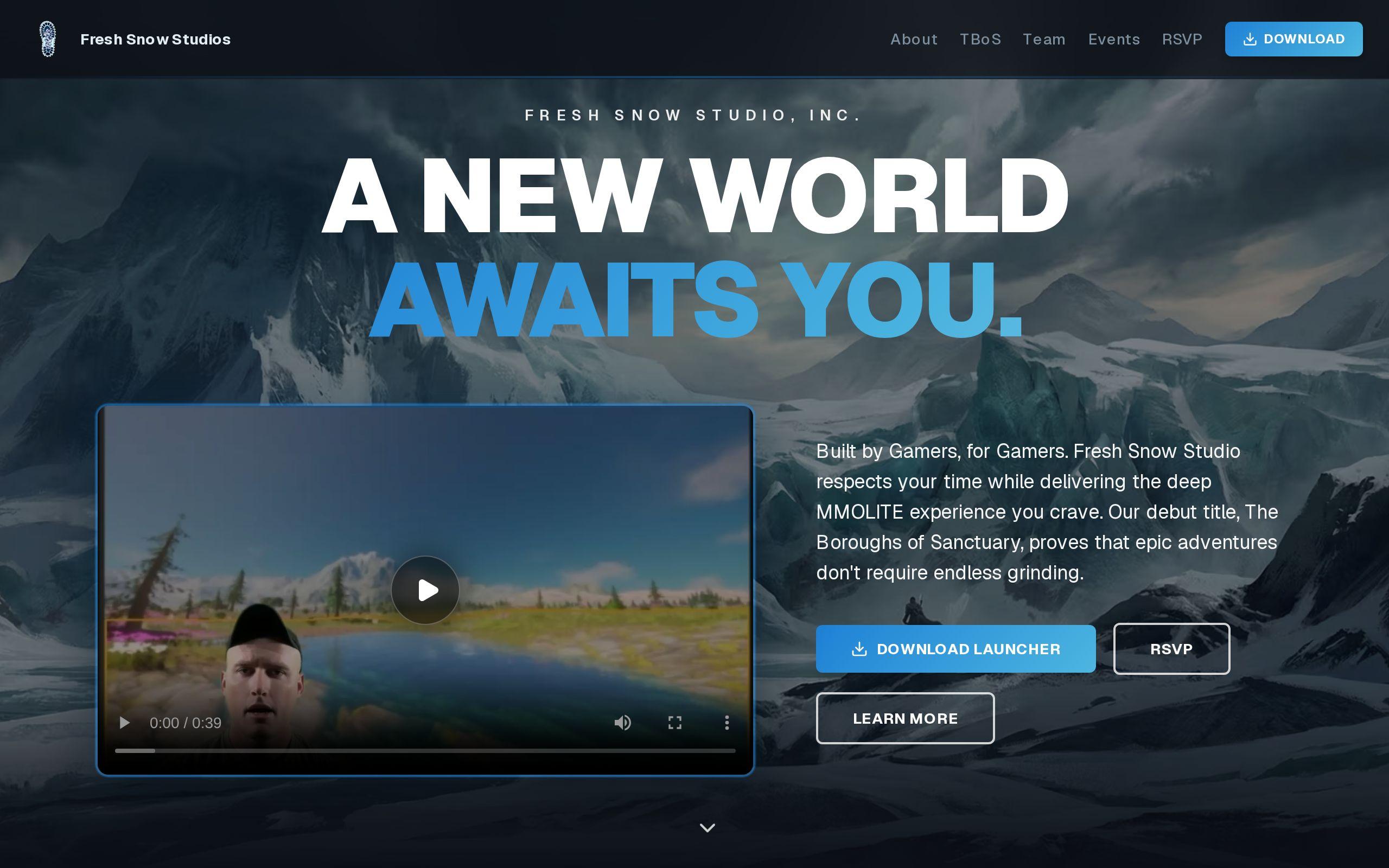
Fresh Snow Studio is a creative studio, and their site had a specific problem: the portfolio's whole job is to show off work through large, high-quality images. That's not a place where you can compress your way out of the requirement by shrinking everything down. The images have to look good. That was the brief, non-negotiable.
The build leaned into image-forward layouts where the work fills the space and the interface stays out of the way. Everything else was kept deliberately minimal, so the site reads as a confident piece of design rather than something underdressed, with smooth transitions carrying the sense of craft that a static image grid can't deliver on its own.
None of that works if the site is slow. A portfolio that makes a visitor wait to see the work has already failed at its one job. So loading and image handling were tuned specifically to keep those large creative assets fast, which is what makes the rest of the design decisions possible in the first place. You can see the result at the Fresh Snow Studio case study.
The lesson for any business with a visually heavy site, whether that's a restaurant, a builder, or a design studio: large, high-quality visuals and fast load times aren't in conflict. They're a technical problem with a known set of solutions, applied correctly.
Your next step
Pick one page, run it through the speed test, and work down the list: compress the images, cut the scripts that aren't earning their place, and check your hosting last if the first two didn't fix it. If you get partway through and want a second opinion on what's actually worth fixing versus what's noise, that's exactly the kind of work we do in custom web development. You can also just get started and we'll take a look at what's actually slowing you down.