
A diner standing on a Raleigh sidewalk at 6:15 does not read your website. They read a phone screen, glance at a name, a star rating, an hours line and a menu button. Then they walk in or they keep walking.
That glance is your Google Business Profile. Here is how to set up a Google Business Profile for a restaurant so it wins that glance, using one Wake Forest restaurant as the model.
Why does your Google Business Profile matter more than your website for walk-in diners?
Because it shows up first, and it answers faster.
Someone searching "tacos near me" from the street sees the map and the profiles before they see any site. If the profile answers the three questions that matter, they never need the site. Those questions are: what is on the menu, are you open, and where exactly are you.
Your website still matters. It carries the story, the full menu and the catering page. But the profile is the preview, and a bad preview means nobody clicks through.
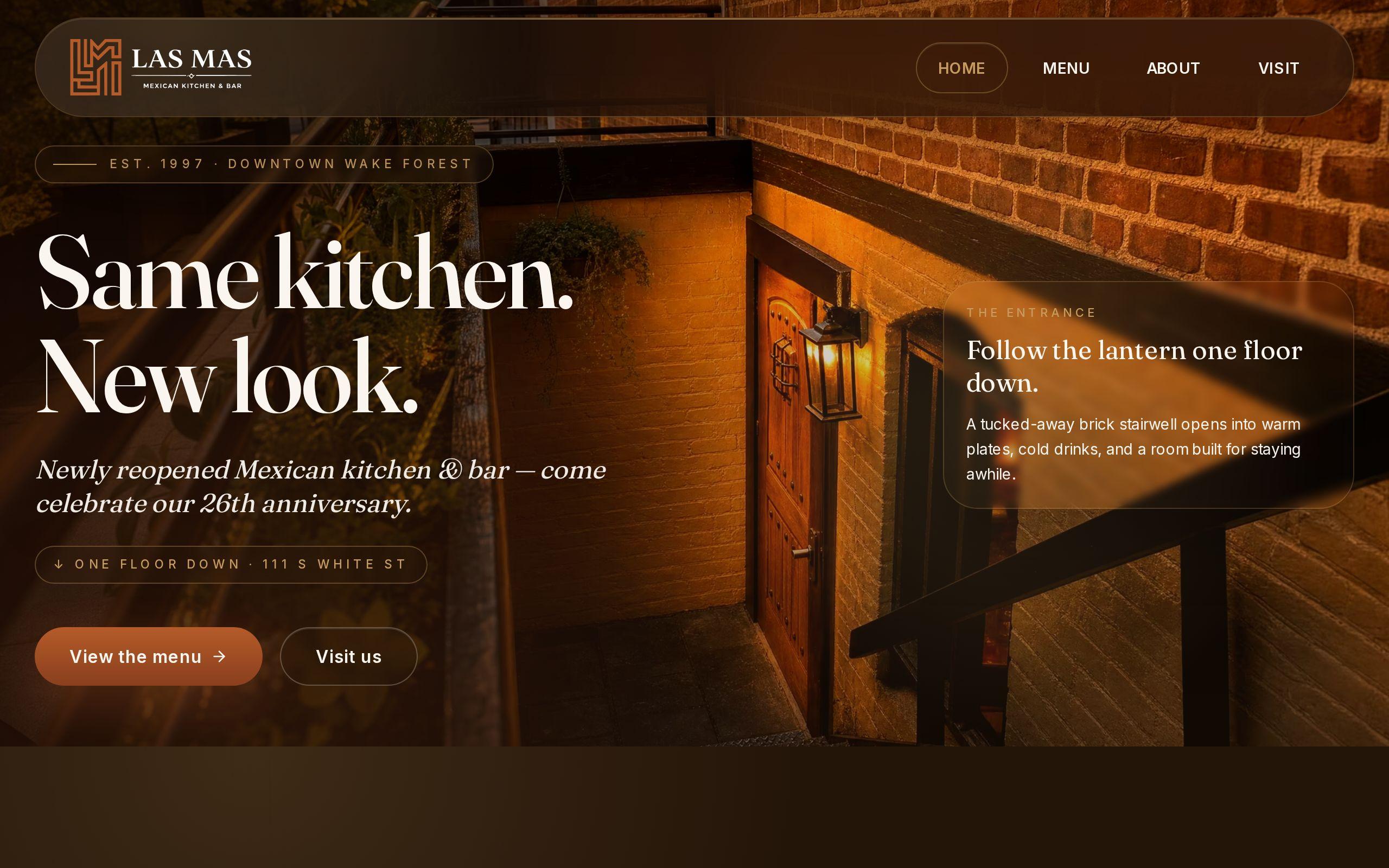
When we built the site for Las Mas Mexican Kitchen & Bar, a 25-year downtown Wake Forest institution, the starting point was the same. Diners searching from the street need menu, hours and address in seconds, or they open a delivery app instead.
Which primary and secondary categories should a restaurant choose?
Choose the most specific primary category that is true. "Mexican restaurant" beats "Restaurant." "Pizza restaurant" beats "Italian restaurant" if pizza is what you sell.
The primary category carries the most weight in how Google decides which searches you belong in. Treat it as a decision, not a default.
Secondary categories are for things you really do. A few honest ones help:
- A bar, if people come for drinks
- Catering, if you actually cater
- Takeout, if you actually pack orders to go
Do not stack ten categories hoping to catch every search. Google reads that as noise, and diners read it as a place that cannot decide what it is.
How should you list hours, holiday hours and the exact address?
Hours first, because "open now" is the filter hungry people use.
Enter every day. If you close between lunch and dinner, use the split-hours option so the profile does not claim you are open at 3 p.m. when the kitchen is dark. A diner who drives to a locked door writes the review you will spend a month answering.
Holiday hours deserve their own attention. Use the special hours setting for Thanksgiving, Christmas, New Year's and any day you close for a private event. Set them early.
For the address, match the format on your door and your website exactly. Suite numbers, "Street" versus "St." and the pin on the map all count. Drag the pin to the actual entrance, not the middle of the building. Downtown parking is already hard enough without sending people around the block.
Where should the menu link point so diners reach it in one tap?
To a page that loads fast on a phone and shows food, not to a PDF.
The profile has a dedicated menu link field. Use it. Many owners leave it blank or paste the homepage, which adds a tap and a hunt.
The model here is the approach we took for Las Mas: the menu, hours and location sit within one tap of every screen, because those are what a hungry visitor actually came for. The profile menu link should honor the same rule. One tap from the profile, and the menu is on screen.
Test it yourself. Pull up your profile on your own phone, on cellular data, and tap the menu link. If you wait, squint or zoom, so will your customers. You can also run the site through our speed test to see where it drags.
What kinds of photos make a hungry searcher choose you?
Food. Real food, well lit, on the actual plates you serve.
Our rule on the Las Mas site was that food photography does the selling rather than adjectives. The same holds on the profile. Nobody chooses a restaurant because a caption says "delicious."
Upload a mix:
- Your best five or six dishes, shot close
- The dining room with people in it
- The exterior and the entrance, so a first-timer can spot the door
- The bar, if the bar is part of the draw
Skip stock images and skip blurry phone shots of a menu board. Diners will upload their own photos too, and you cannot control those, so give Google better ones to show first. Add new photos regularly. A profile whose newest image is three years old looks like a place that might be closed.
How do you describe a long-standing restaurant without sounding generic?
Say one true, specific thing. Skip the adjectives.
"Family-owned, serving great food and great service" describes ten thousand restaurants. A description that names how long you have been open, what the place is known for and where it sits says something nobody else can copy.
Las Mas has twenty-five years downtown and a family story behind it. On the website we wove that history through the pages instead of parking it on an about page nobody reads. The profile description is the short version of the same move: one or two plain sentences with the history baked in, not a paragraph of praise.
Keep it factual. No phone numbers, no promotions and no all caps. Google restricts those, and they read as desperate anyway.
Should you name your town and neighborhood in the profile?
Yes, once or twice, naturally.
Google already knows where you are from the address and the pin. But diners think in places: "downtown Wake Forest," "Glenwood South," "near the Durham Bulls stadium." Putting your neighborhood in the description matches how people actually talk and search.
Do not cram it in. "Mexican restaurant in Wake Forest, Raleigh, Cary, Apex, Holly Springs and Durham" is the fastest way to look like a spam listing. Name where you are, not everywhere you wish you were.
The same logic powers the page on your site for your town. If you want the website side of this done properly, our Wake Forest web development page shows how we think about a local page that actually belongs to its place.
How do you keep the profile and your website consistent?
Pick one source of truth and copy from it every time.
Google compares what your profile says to what your website, your social pages and the directories say. When hours differ between them, trust drops and so do diners. Mismatches also cause real harm, like someone arriving at 9 p.m. because the site said 10.
Keep a simple checklist of the facts that must match everywhere:
- Business name, exactly as it appears on the sign
- Address and phone number
- Hours, including holiday hours
- Menu link and any ordering or reservation link
- Description and the cuisine you claim
When anything changes, update the profile and the website on the same day. Better, build the site so hours live in one place and show up everywhere on it. This is part of what local SEO work covers, and it is far cheaper to get right once than to chase down later.
What should you check every month once the profile is live?
Set a fifteen-minute reminder. Do it on the first of the month and go in this order:
- Hours. Are the next month's holidays and closures entered?
- Photos. Add a few new ones, and look at what customers have uploaded.
- Reviews. Reply to the new ones, kindly, including the bad ones. Our reputation management page explains why replies matter.
- Questions and edits. Check for questions diners posted and suggested edits from the public. Strangers can propose changes to your listing, and sometimes they are wrong.
- The menu link. Tap it on your phone. Make sure it still works and still shows current dishes.
That is the whole routine. A restaurant that does this quietly beats a restaurant with a prettier site and a neglected profile.
Your next step
Today, before you close tonight, open your profile on your phone and try to do what a stranger would do. Find the menu. Find tonight's hours. Find the door. Whichever one takes more than one tap is your first fix.