
You have a cancellation policy. It is probably a paragraph on a page nobody visits, and it probably starts with "In the event that." Customers do not read it. You do not enjoy enforcing it. The first time it matters, everyone is surprised.
If you are working out how to write a cancellation policy for a small business, the goal is not legal armor. The goal is a rule short enough that a customer can repeat it back to you. Here is how to build one this week.
Why do vague cancellation policies cause arguments?
Because vague rules leave the decision to you, and customers can tell.
"Please give adequate notice" means something different to every person who reads it. So when someone cancels two hours before an appointment, you are not enforcing a rule. You are making a judgment call, and the customer is hearing a personal verdict.
That is where the awkward texts come from. The fix is not a tougher paragraph. It is a rule with a number in it and an outcome attached, so the conversation is about the rule instead of about you.
Start with what a late cancellation actually costs you
Before you write a word, do some honest math.
When someone cancels late, what do you lose? Ask yourself:
- Can you fill the slot on short notice, or does it sit empty?
- Did you turn someone else away to hold that time?
- Did you prepare materials, buy supplies, or block the whole afternoon?
- Is your time the only thing you sell, so an empty hour is an hour of income gone?
Your answers decide everything that follows. A business that can refill a slot within a few hours needs a lighter rule than one that sells a small number of appointments per week. Write the cost down in plain words. You will use it later when someone pushes back.
Can your policy fit in one sentence?
It can, and it should. Here is the test: if you cannot say the rule in one breath, the customer will not remember it.
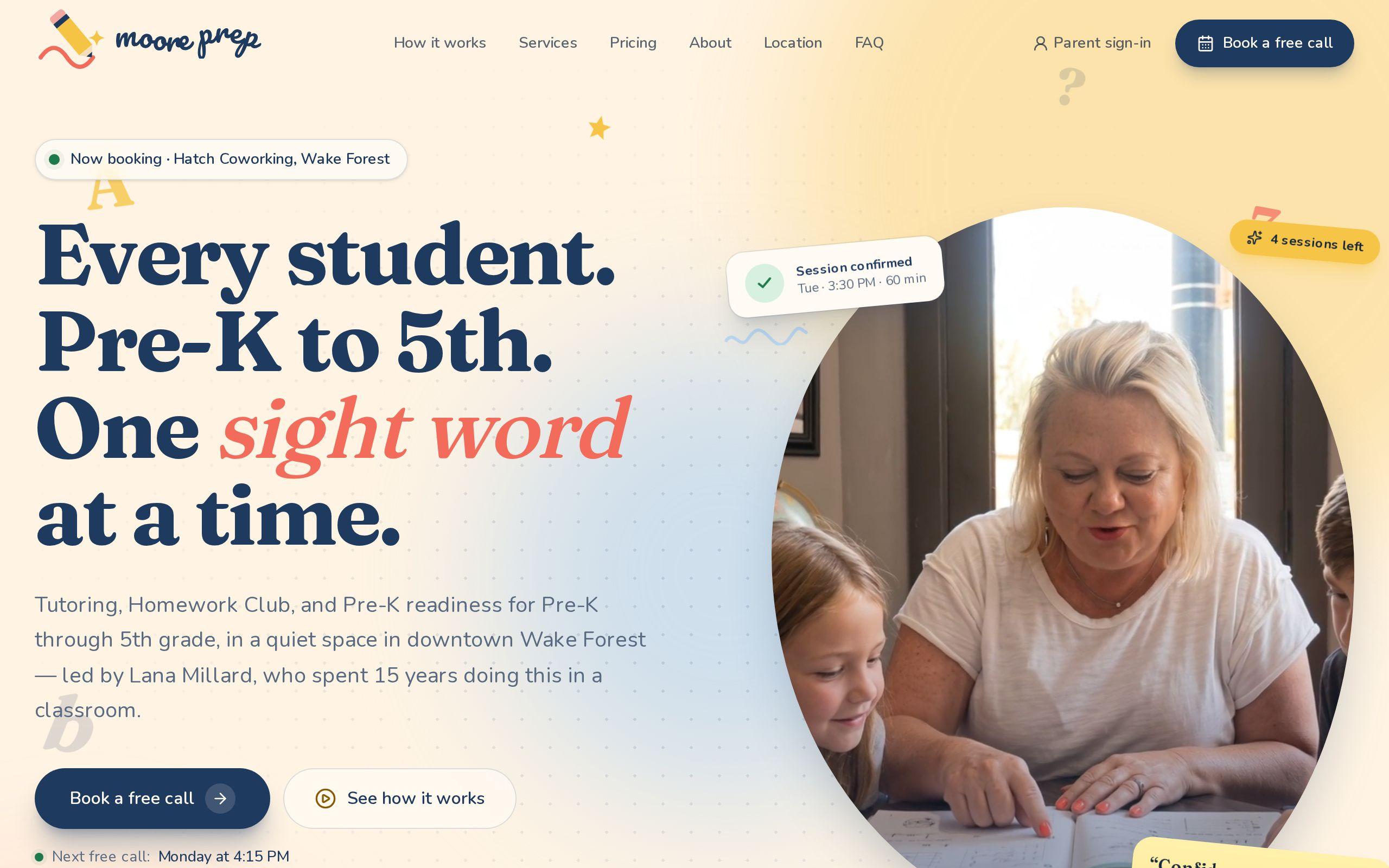
Moore Prep, a one-teacher tutoring practice in Wake Forest, states its rule in one sentence: cancel 24 hours ahead and the session goes back on the account automatically. That is it. There is a window, an action, and a result. No clauses.
Use this shape for yours:
Cancel [this far ahead] and [this good thing happens]. Otherwise [this is what happens].
Notice that the good outcome comes first. A policy framed around what the customer keeps feels like a promise. A policy framed around what they lose feels like a threat. Same rule, different relationship.
Choose the notice window that fits how you work
Pick the number from your cost math, then pick the simplest version of it.
A few guidelines:
- Match the window to your refill time. If you need a day to fill a slot, ask for a day.
- Use round numbers. 24 hours is easy. 18 hours and 45 minutes is a puzzle.
- Count from the start of the appointment. Not from "business hours" or "the previous working day." Those phrases start arguments over weekends.
- Do not set it longer than you need. A 72-hour window for a service you could refill in an afternoon makes customers feel trapped, and trapped customers book less.
Moore Prep chose 24 hours. That is a good default for many appointment-based businesses in the Triangle, but treat it as a starting point, not an answer. Your math wins.
Decide what the customer gets back when they cancel in time
This is the part most policies skip, and it is the part that makes the rule feel fair.
Your options are straightforward. A full refund. A credit toward the next visit. The session returned to a prepaid bundle. Pick one and say it plainly.
Moore Prep's version is the session going back on the family's account. The customer did not lose anything, so there is nothing to dispute. Behind the scenes, the site keeps every family's sessions on an append-only ledger, so purchases, bookings, cancellations, and refunds always add up. You do not need that level of machinery to copy the idea. You just need the in-time cancellation to cost the customer nothing, every time.
Put the rule next to the booking button, not on a hidden page
A policy on a separate page is a policy nobody agreed to. Move the sentence to where the decision happens.
Put it in three places:
- Directly under or beside the booking button.
- In the confirmation message, so it is in their inbox.
- In the reminder, so it is the last thing they see before the window closes.
Moore Prep publishes plain prices and the one-sentence rule right where families look when they decide. Nobody has to hunt. When the rule shows up at the moment of booking, "I didn't know" stops being a believable sentence, and you never have to say "it's on our website."
Let your booking system apply the rule automatically
Here is the position we will take: a rule you enforce by hand is a rule you will break.
You will break it for the nice customer, for the one who is having a bad week, for the one who is persistent. Then the next customer finds out, and your policy is whatever you are feeling that day.
A booking system can apply the rule for you. Cancel inside the window and the session returns on its own. Cancel outside it and the system says so, before anyone has to have a hard conversation. Moore Prep's parent portal works this way, so the 24-hour rule is a property of the system rather than a favor Lana has to grant or deny.
If your current booking tool cannot do this, that is a build question, not a policy question. It is the kind of thing custom web development exists for, and our custom web development work often starts with exactly this kind of rule. You can see the full picture in the Moore Prep case study.
How do you handle the exception without breaking the rule?
You will get exceptions. A sick child. A car accident. A funeral. Decide in advance how you handle them, because the worst time to invent a process is while someone is upset.
Keep it simple:
- Make the exception yours, not the system's. The rule stays automatic. When you choose to bend it, you do that by hand, once, on purpose.
- Say it is an exception. "We are making an exception this time" protects the rule. Silence turns the exception into a precedent.
- Do not apologize for the rule. You can be kind and still clear.
- Keep a short list of what qualifies. Emergencies, yes. A change of mind, no.
An exception granted openly leaves the policy standing. An exception granted quietly leaves you with no policy at all.
Your next step this week
Open your current policy and write one sentence: the window, what the customer keeps, and what happens otherwise. Then paste it under your booking button today.
If your booking tool cannot enforce it, make a note of exactly what it would need to do. That list is the start of a good conversation, and you can bring it to us through get started whenever you are ready.