
Should you delete thin pages on your contractor website? Sometimes, yes. A New Leaf Painting is the clearest example we have of why.
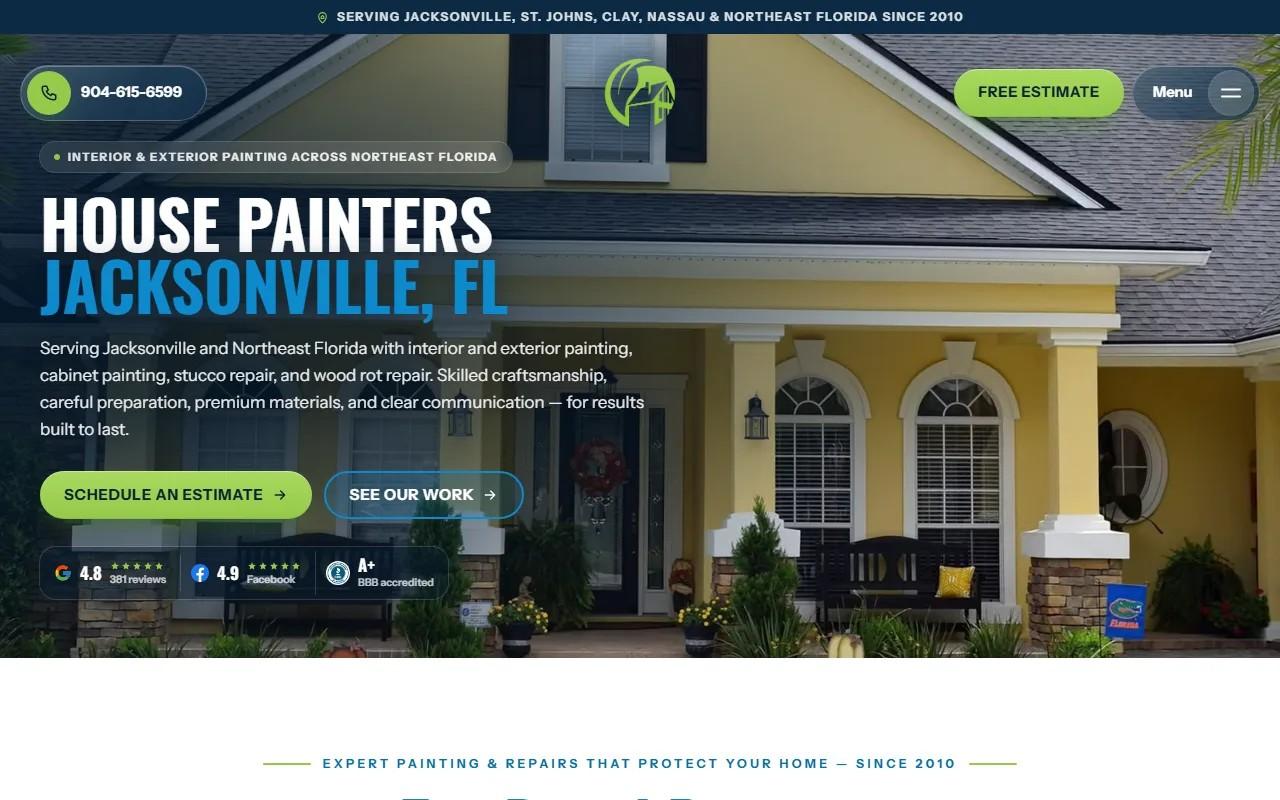
A New Leaf Painting Contractors has painted homes and businesses across Jacksonville and Northeast Florida since 2010. Their site grew right along with the company. Then a platform move went badly, and the cleanup came down to one question, asked hundreds of times: does this address deserve to exist?
Why does a contractor site end up with thin, near-identical pages?
Because the logic feels sound at the time.
You work in a dozen towns. Someone says every town needs a page. So a template gets copied, the town name gets swapped, and the page goes live. Repeat until the service area looks impressive.
The result is a pile of pages that say the same thing with a different noun. Worse, some of them borrow a neighbor's photos or a neighbor's job and caption it as local. A customer who notices that stops trusting everything else on the site.
If you run a Raleigh, Cary or Durham contractor site, check your own. The pattern is common.
What the A New Leaf Painting site looked like after the move
The site had real depth: hundreds of blog posts and paint guides, video stories from customers, and a page for nearly every town the crews work in. That is a lot worth protecting.
Then the move happened. The damage came in three forms:
- Hundreds of old addresses were redirected to the homepage.
- Pages that search engines still listed were simply gone.
- The blog lost the markup that tells Google what a post is.
The owner, Thomas Drake, wanted a site that looked like the company his customers know, made booking an estimate simple, and showed real jobs. The hard part was getting there without breaking what the site still had. Years of addresses that people and search engines already knew.
How every published address was traced back through its older platforms
You cannot decide what happens to an address until you know it exists.
The site had lived on older platforms, and each one had published addresses of its own. We traced every address the site had ever published, back through those platforms, so nothing was judged from a partial list.
That list was the real starting point. Not the current sitemap, not what the new platform thought the site contained. The full history, because customers had bookmarked it, other sites had linked to it, and search engines had stored it.
Then each address got sorted into one of two answers. A real replacement, or a clean "gone."
Which pages earned a redirect to a real replacement
A redirect is a promise. It says the thing you wanted lives over here now.
So the test was simple. Is there a page that answers the same question the old one did? If a service page, a blog post, a video story or a town page had a true successor, the old address sent visitors straight to it.
We also rebuilt the whole site in Next.js with every page at its original address and its own words carried over. For most of the site's content, that meant no redirect was needed at all. The address never changed. The redirects were for the addresses that could not stay where they were.
One rule held throughout: each address answers in a single hop, directly to its replacement. No chains.
Why some pages got a clean "gone" instead of a redirect
This is the part owners resist, so here is the reasoning.
Some pages were thin, near-identical copies that should never have been published. They had no unique content, no unique jobs, no reason to exist. There was nothing on the site that truly replaced them.
Redirecting those to the homepage is what the botched move had already done to hundreds of addresses. It feels kind. It is not. A visitor who searched for a specific town and lands on a generic homepage did not get what they asked for. Search engines read the same mismatch.
So those addresses now return a clean "gone," the plain status that says this page was removed on purpose and is not coming back. It is honest, and it tells crawlers to stop spending time on it.
Deleting is not giving up on the town. It is refusing to keep a page that lies about being useful.
How each town page was made to say something true about its place
Here is the other half of the cleanup. The pages that survived had to deserve it.
Every town page now carries its own finished jobs and its own map. Never another town's name. Never a neighbor's job captioned as local.
That works because finished jobs became first-class content. Each has its own page with what the crew found, the prep and repairs, the products and colors, the result in photos, and the HOA approval details neighbors ask about. About five hundred past jobs are plotted on a map of Northeast Florida, so a homeowner can see whether the crew has painted near them before they call.
A town page built on that is a different thing. It is a record of work done in that place, not a template with a name swapped in.
What a single hop matters for crawlers and customers
Chains are quiet damage. Address A goes to B, B goes to C, C goes to the page you meant. Every extra stop is a place for a crawler to give up and a phone to wait on a slow connection.
One hop means the old address resolves directly to the answer. A customer following a years-old link lands where they should, fast. A crawler updates its record cleanly instead of untangling a trail.
The same discipline ran through the rest of the rebuild. Business facts come from one source, so hundreds of pages cannot drift out of agreement. The review figure comes from one place, so every page and its search markup agree. Search markup was restored: one business described once, breadcrumbs on every page, article markup on every post. Large PNG hero images are served as lossless WebP, identical pixel for pixel, so pages load faster on a phone without a softer picture.
You can see the whole build on the A New Leaf Painting case study.
A checklist for deciding whether one of your own pages stays
Run each town or service page through these questions:
- Does it show work from this place? Real jobs, real photos, a real map. If the answer is no, it is a candidate.
- Could you swap the town name and publish it for another town? If yes, it is thin.
- Does it borrow another town's name or jobs? Fix it or remove it today.
- Does a real replacement exist? If so, redirect once, directly.
- Is there no honest replacement? Let it go with a clean "gone," not a homepage redirect.
- Do people or search engines already use the address? Check before you act. Traffic and links change the answer.
If a page passes the first three, keep it and make it better. If it fails them, delete it and do not feel bad.
Your next step
Pull the list of every town page on your site and read five of them with the town names covered. If you cannot tell which town each one is about, you have found your thin pages.
If you want a second opinion on what to keep, redirect or retire, our SEO and analytics work starts with exactly this kind of audit, and contractor website design is where we rebuild the pages that earn their place. Or get started and tell us what your site looks like today.