
What Does a One-Teacher Tutoring Practice Need From a Website?
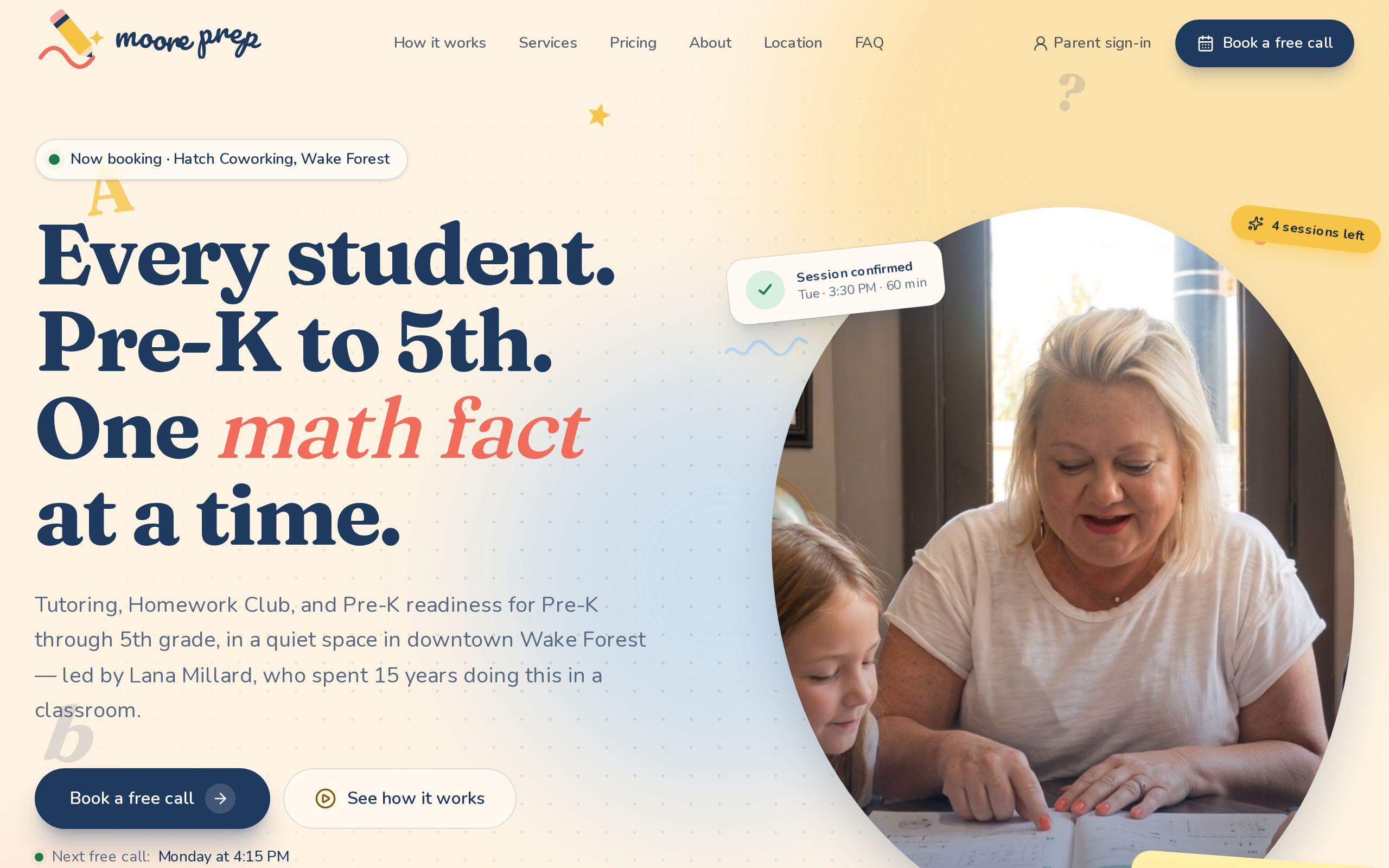
Moore Prep is a tutoring practice for children from Pre-K through 5th grade, run by one teacher, Lana Millard, in a small room at Hatch Coworking in downtown Wake Forest. Tutoring, Homework Club, and Pre-K readiness. That is the whole business, and it is a good one.
It is also two projects that rarely get built together. The first is the public site, which has to convince a parent to trust a stranger with a child who is finding school hard. That parent is not comparing features. They are deciding whether this teacher, in this room, is the right person to sit beside their kid.
The second project is everything that happens after the parent says yes. Scheduling, payments, cancellations, reminders, the note home after each session, the progress report at the end of a term. Most small practices run that part across a booking app, a payment link, a spreadsheet, and a long text thread. It works, mostly, until the week a sibling joins, a session gets moved twice, and nobody is sure which payment covered what.
We built both halves for Moore Prep: the website at mooreprep.org and the system that runs the practice behind it. This is what we built and why.
Why the First Version Described a Business That Did Not Exist
The site Moore Prep started with read like a small private school. Six programs, each with its own page. A tour scheduler. Classroom photography and campus-style framing. It looked polished, and it described a business that was not there.
The real business is smaller and sharper: one educator, working with one child or a small group at a time, in one quiet room. A tour scheduler for a room inside a coworking space promises something a family will not find when they arrive. Six programs promise a staff. Every program a site invents is a promise someone eventually has to keep.
So the rewrite started by cutting. The catalog of programs became three services, each one describing what a parent can actually book: Tutoring for reading, writing, and math, Homework Club for the after-school hour, and Pre-K Readiness for the year before kindergarten. The school language came out. What went in was the specific stuff a parent wants to know: who the teacher is, where the room is, what a session costs, and what happens if plans change.
Small on purpose turned out to be the strongest pitch the practice had. The page says so directly, and it reads as confidence rather than apology.
Why Every Family Starts With a Free 15-Minute Call
The most important decision on the public site is that there is exactly one way in. Every family starts with a free 15-minute call with Lana, booked from her real availability, with no card and no commitment. Nothing is bought or booked before that conversation.
That came straight from how the practice works. Tutoring a seven-year-old is a fit question before it is a scheduling question. Lana wants to hear what the child is finding hard, explain how sessions work, and decide together with the parent whether this is the right help. If it is not, the site says plainly that she will say so and point the family somewhere better. That sentence does a lot of trust-building for very few words.
On the page, the call is easy to book. The form asks for the parent's details, the child's grade, and what would help most, then offers real open times on a calendar. The next free slot sits right under the "Book a free call" button, so a parent can see the wait before they commit to filling anything in. Pick a service card and the form opens with that service already chosen.
Behind the form, the booking creates a pending family account and blocks the slot on Lana's calendar, so two families can never grab the same time. After the call, Lana approves the family, they get an email to choose a password, and the portal opens. If you are weighing how to put booking on your own site, our guide to setting up online appointment booking walks through the options.
How Pricing and Cancellations Became One Sentence Each
Parents of young children cancel. A fever, a school concert, a car that will not start. A practice that handles that badly loses families over a rule nobody explained, and a practice that handles it by text loses evenings to it.
Moore Prep's rule is one sentence, stated on the homepage: cancel at least 24 hours before a session and it goes back on your account automatically, no phone call required. Inside that window, a family messages Lana and she works it out with them, because sick kids happen. The same rule is written into the parent agreement and enforced by the system, so what the page promises and what actually happens can never drift apart.
Pricing gets the same treatment. Every session length has its price on the page. Families can buy one session at a time or a bundle that never expires and can be shared across siblings. Payment is by card through Stripe at the moment of purchase, so there is no invoice to chase and no awkward conversation at the door. When Lana changes a price or the cancellation window in her settings, the admin shows which sentences on the site still quote the old number before the change goes live.
What the Parent Portal Does After the Call
Once a family is approved, the portal is where the practice lives for them. A parent signs the parent agreement before buying anything, buys sessions, and requests times against what is on their account. Lana confirms the request, usually the same day, and the confirmation lands by email.
Each child has their own page. Goals Lana sets and shares, notes home after each session, things to practice before the next one, and a progress report for the term. A family can share that report with a classroom teacher or a grandparent through a private link that opens without an account and stops working the moment they turn it off. At the end of the year there is a statement, child by child, for taxes and benefits accounts.
Underneath, every session a family owns lives on an append-only ledger. Purchases, bookings, cancellations, refunds, and manual adjustments are all entries, and a balance is simply the sum of them. Nobody edits a number in a column. That is why the account always adds up, and why two approvals landing at the same moment can never spend the same session twice. It is the least visible part of the build and the one parents would notice first if it were wrong.
Why the Back Office Was Built for a Phone
A tutor between sessions is not at a desk. So the admin side of Moore Prep was designed for Lana's phone first.
The home screen is Today: the day's sessions in time order, what is waiting on her in one row, allergies right on the session card, and who is picking each child up. Requests can be approved from the calendar. A family running late can say so in one tap, and so can she. Waitlist openings, messages with saved replies, and who still owes for a session are all a tap or two away.
Notes home get special care because they are what families read. During or after a session, Lana can dictate or type her notes, and a session assistant turns them into a draft note home, ideas for goals, and what to bring next time. Nothing reaches a family until she edits the draft and sends it herself. The writing stays hers. The assistant just saves her from typing it on a phone in a hallway.
None of this is generic scheduling software with a logo swapped in. Every screen came from a specific moment in the practice's week, which is why there are features like a Friday look at the week ahead and a gentle cheer when a child reaches a goal.
How the Site Tells Mason's Story
The practice carries the name of Mason Moore, a little boy who gave his one year of kindergarten everything he had, and whose love of learning is the reason Moore Prep exists. A portion of every session goes to St. Jude Children's Research Hospital in his honor.
That story deserved care. The first version of the site opened on a memorial, right in the hero, which made it hard for a parent arriving with a homework problem to find their footing. The rewrite gives Mason his own section, with the St. Jude giving beside it, written plainly and warmly. The rest of the page is about the families booking now. The site honors him without asking every visitor to arrive at a memorial.
How a Downtown Wake Forest Practice Gets Found
A tutoring search is local and specific. A parent types something close to "tutoring for my kindergartner near me," and the answer has to be nearby and clearly the right age range.
So the page names the specifics plainly. Pre-K through 5th grade in the title. Hatch Coworking at the corner of E. Roosevelt Ave and S. White St in downtown Wake Forest. Afternoons, Monday through Friday. Free parking, usually steps from the door. The questions parents ask first, from what a session costs to whether a parent stays during it, are answered on the page and marked up as structured data, so search engines can match a parent's question to Lana's answer directly.
If you run a Wake Forest business with a real local presence, our notes on local SEO for a Wake Forest business and our Wake Forest web development page cover the same ground in more depth.
What This Says About Websites for Solo Service Practices
Moore Prep is a tutoring practice, but the shape of the problem is common. Plenty of businesses are one skilled person with a calendar: tutors, coaches, therapists, trainers, music teachers. A few lessons carry across all of them.
Describe the business you have. A smaller, honest site outperforms a grander one that sets expectations nobody can meet.
Give people one way in. When fit matters, a free conversation before payment protects both sides.
Write the rules once and enforce them in the system. If the cancellation policy lives in a sentence on the page and also in the code that handles cancellations, there is nothing to argue about later.
Build the back office around the actual day. A booking app, a payment link, and a spreadsheet are a system too. Nobody designed it, which is usually the problem.
Next Step
You can see the full project on the Moore Prep case study page or visit mooreprep.org to see the public site for yourself. If your practice is running on a patchwork of apps and texts, take a look at how we approach custom web development, then tell us what your week looks like and we will scope something that fits it.